Tools
Real crayon coloring on iPhone and iPad
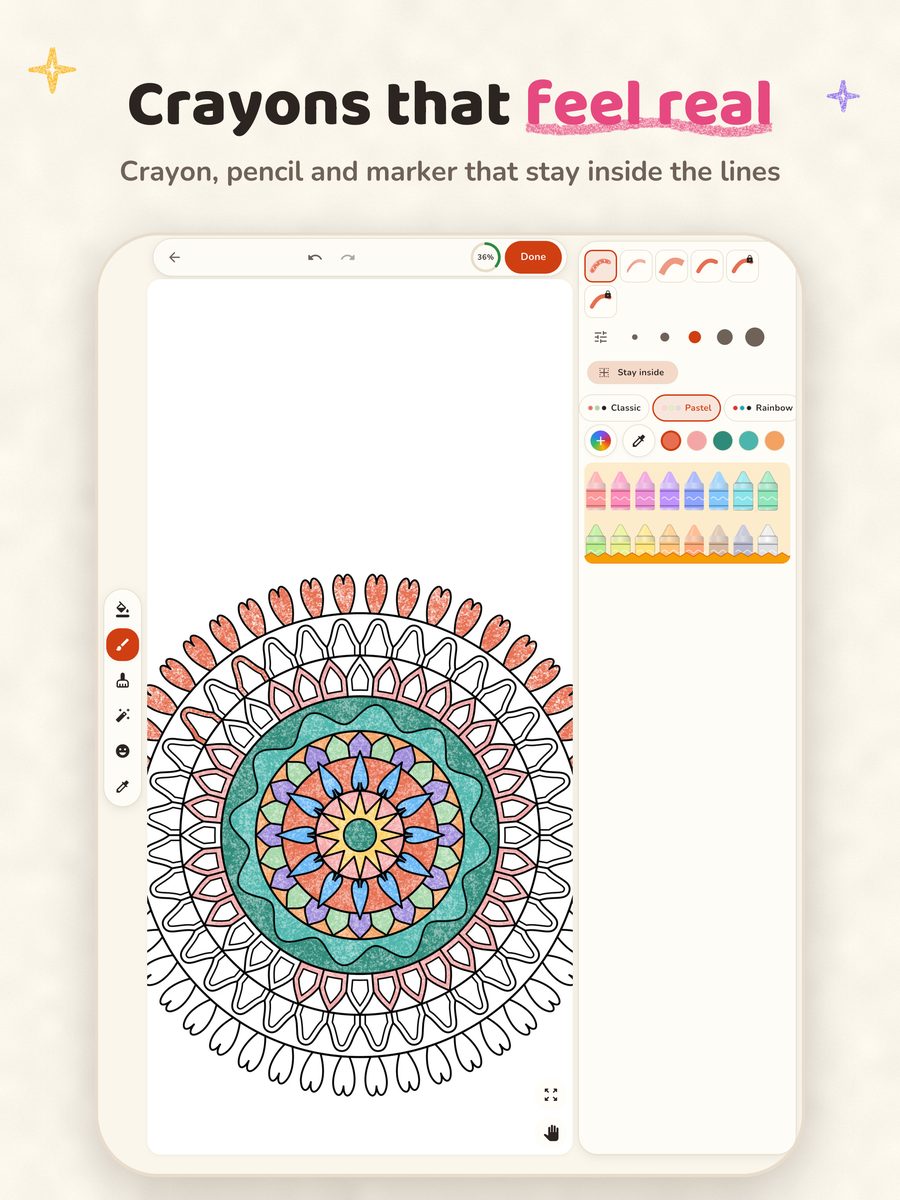
Crayon's crayon and colored-pencil brushes put a paper grain into every stroke, so a page looks colored by hand instead of filled flat. Tap to fill handles the big areas, and Stay inside the lines keeps brush strokes tidy.
Brushes that look like wax and pencil
Most coloring apps fill an area with one flat color. Crayon also has textured brushes:
- Crayon: a soft, waxy stroke with the paper grain showing through.
- Colored pencil: a finer, grainy line for shading and small details.
- Marker: smooth, even color.
- Flat color: solid color with no texture, the classic digital look.
Fills can use the crayon texture too, so a page you fill with taps still looks hand-colored. Some premium palettes and brushes are part of the optional Pro tools.
Stay inside the lines
Turn on Stay inside the lines and a brush stroke stays in the area where you started it, even if your finger slips over a line. It is how a crayon page stays neat on a small phone screen. In the simple mode it is always on.
Tap to fill that forgives near-misses
One tap colors a whole area. When the area is tiny and your tap lands just outside it, Crayon still fills the space you meant. Zoom up to 16x for the smallest areas; the lines stay crisp.
Colors
- Seven palette sets: Classic, Pastel, Rainbow, Nature, Skin tones, Ocean and Autumn.
- An eyedropper to reuse a color from the page, recent colors, and your own custom colors.
- Gradient and pattern fills, stickers, an eraser, and unlimited undo and redo.
Saving and sharing
Your progress saves automatically, and My Art keeps every page you started or finished. Save a finished page to Photos or share it. Nothing needs an account: artworks stay on your device.
Read the Crayon FAQ or print a free page to try it on paper first.